Teachers spend 7–12 hours per week writing lesson plans — and the first founder who eliminates that with a genuinely free AI lesson plan maker for teachers will own a category worth hundreds of millions.
This is not a soft-skills problem. It is an extreme time-to-output bottleneck running inside a global education market projected to approach $10 trillion by 2030 that institutional buyers chronically underserve. Most software sold to schools is procurement-heavy, LMS-native, and built for administrators — not for the person in the room who needs a structured 45-minute lesson on the water cycle by 8 a.m. tomorrow.
A free AI lesson plan maker for teachers cuts directly through that dynamic. It targets the practitioner, not the procurement officer. When teachers adopt tools their district didn’t mandate, word spreads fast — at staff meetings, in Facebook groups with 200,000 educator members, in Twitter threads that go viral during back-to-school season. Organic, practitioner-led adoption is hard to buy and easy to compound.
Why “Free” Is the Sharpest Competitive Position in This Market
Free isn’t charity. It’s a deliberate distribution architecture.
Benchmark this against the paid-first model. Canvas LMS pricing and district licensing structure locked Instructure into a top-down sales motion at $15–30 per seat. Their teacher NPS historically lagged behind their admin NPS because teachers didn’t choose the tool — administrators did. A free AI lesson plan maker for teachers inverts that entirely. Teachers choose it, use it daily, and then advocate upward. This is precisely how product-led growth compounds in practitioner-led software categories: the end user drives adoption before procurement ever enters the conversation
The conversion math works. If 5% of a district’s 500 teachers upgrade to a $10/month plan for advanced differentiation, collaborative units, and custom rubric generation, that’s $25,000 ARR per district from one upsell event — without a sales call. At 200 districts, that’s $5M ARR with a nearly-zero direct sales cost, scaling through the exact teachers-as-distribution flywheel your deck should already be describing.
What the Product Actually Needs to Do in the First 60 Seconds
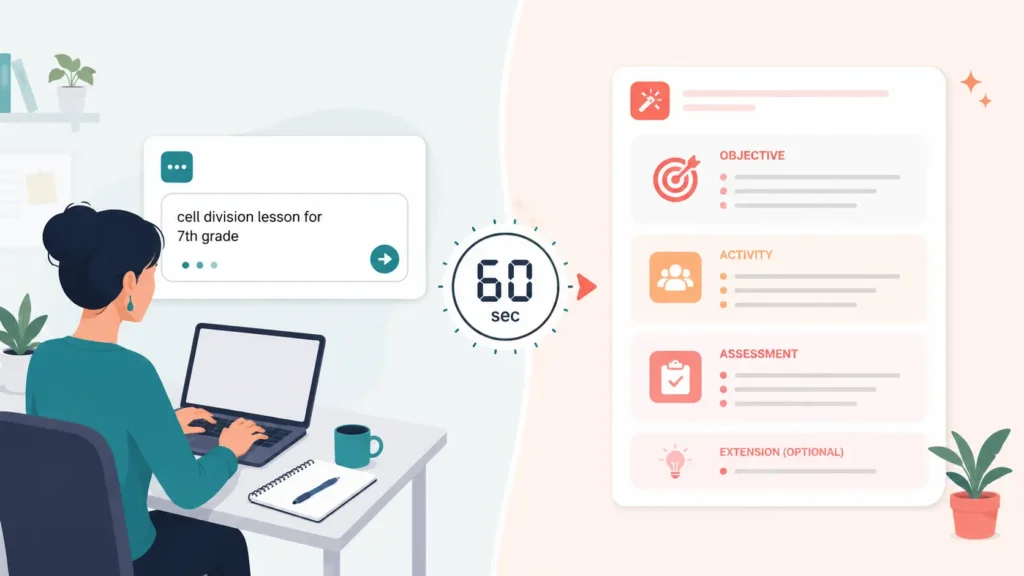
Speed kills excuses. A free AI lesson plan maker for teachers that requires account creation, a demo call, or a five-minute onboarding tutorial loses to the teacher who opens a new Google Doc and types it manually. The threshold for “faster than DIY” is 60 seconds to a usable first draft.
The technical requirements are tighter than they look:
Input parsing must handle messy inputs. Teachers don’t write clean briefs. They paste a state standard code (e.g., CCSS.ELA-LITERACY.RI.6.1), a grade level, and a rough topic. The model must infer the rest — duration, depth, likely student misconceptions, and a logical activity sequence — without asking follow-up questions that break the flow.
Output structure must match real classroom needs. An objective statement. Time-boxed activities. A formative check. Differentiation notes for advanced and struggling learners. Optional extension work. This is not generic content generation — it is structured output that teachers can print and use. Lesson plans that skip the formative check or lump differentiation into a single sentence get abandoned after one use.
Iteration must be single-click. “Make it more interactive.” “Add a group activity.” “Shorten this to 30 minutes.” Any free AI lesson plan maker for teachers that forces the user back to a text prompt for every revision loses the session. Build intent-aware edit buttons into the output UI from day one — this is where most competitors currently cut corners.
The benchmarks your engineering team should target: under 8 seconds to first output, under 3 seconds for inline edits, and zero mandatory sign-up for the first three plans. Measure the session-to-save rate and the save-to-return rate weekly. If teachers are not saving plans locally or returning within 7 days, the output quality doesn’t clear the “better than DIY” bar.
The Upgrade Path That Actually Converts in Education
Most free AI lesson plan maker for teachers products fail at monetization because they gate the wrong features. Putting a paywall on plan generation count (you get 5 free plans per month) tells the teacher that the tool doesn’t trust them. Teachers have long institutional memories about software that baited and switched — and they talk.
Gate the collaborative and institutional features instead.
The features that drive paid conversion in educator tools follow a consistent pattern: anything that requires a second person. Collaborative unit planning across a department. Shared lesson libraries with version control. Admin dashboards that give curriculum coordinators a bird’s-eye view of instructional alignment across classrooms. Integration with district-mandated LMS platforms — Canvas, Schoology, Google Classroom — via API push.
These features are not things individual teachers buy for themselves. They are things departments buy as a team and administrators approve for a school. Pricing at $10–15 per teacher per month for collaborative tiers is defensible because it ties the invoice to a group decision, not a personal spending event. A free AI lesson plan maker for teachers becomes a departmental AI planning suite — and that is an entirely different budget line.
Build a lightweight referral mechanic into the free product: when a teacher shares a plan with a colleague, the colleague lands in a co-view state that promotes the free tool directly. Every share is a low-friction acquisition event. Track share-to-signup conversion as a primary growth metric from month one.
The Position Is Open. The Builder Who Ships First Wins It.
Every week a team doesn’t ship a free AI lesson plan maker for teachers is a week another team inches closer to owning 3.2 million practitioners with high retention, strong word-of-mouth, and a clean upgrade path to institutional contracts. Ship the 60-second prototype first, measure save rates relentlessly, and let the teachers tell you what to build next.
Teachers and L&D leads who discover a good AI lesson plan generator free tool never go back to blank-document planning sessions, and the time math makes that obvious: what used to consume three hours now ships in twelve minutes. The Hidden Cost of Manual Lesson Planning — And Why It Compounds Most organizations undercount the true cost of curriculum work. A mid-level instructional designer in the U.S. bills between $65 and $95 per hour. A single onboarding module — objectives, activities, assessments, facilitator notes — eats 15 to 20 hours before a single learner sees it. Scale that across a 30-module onboarding program and you’re looking at $30,000 to $57,000 in labor before you’ve trained one employee. K–12 teachers face a different version of the same problem. The Learning Policy Institute’s 2023 research found that U.S. teachers spend an average of 10.7 hours per week on non-instructional tasks — lesson planning sits near the top of that list. That’s 10.7 hours not spent on student feedback, differentiation, or the actual craft of teaching. The arithmetic here argues for automation, not debate. An AI lesson plan generator free tier doesn’t just cut costs — it removes the planning bottleneck entirely, letting educators and L&D teams redirect cognitive load toward review, refinement, and delivery. The best tools generate a structured lesson complete with learning objectives, pacing guides, formative checks, and differentiation notes in under 60 seconds. That’s not a productivity improvement. That’s a category shift. What a Good AI Lesson Plan Generator Free Actually Produces Skeptics assume “free” means “generic.” The output quality from current free tiers of tools like MagicSchool AI, Diffit, and Eduaide.ai challenges that assumption directly. A typical AI lesson plan generator free workflow looks like this: you input a subject, grade level or learner persona, duration, and one or two specific learning goals. The model returns a full lesson arc — hook activity, direct instruction segment, guided practice, independent application, and exit ticket or assessment prompt. Most tools also generate differentiation scaffolds for advanced learners and those who need additional support, without requiring a separate prompt. MagicSchool AI’s free tier, for instance, lets teachers generate complete lesson plans, rubrics, and parent communication drafts. Teachers at Tulsa Public Schools reported saving 7+ hours per week after adopting AI planning tools district-wide in 2024. That’s not anecdote — Tulsa published the data as part of a formal pilot review. For corporate L&D teams, tools like Coursebox and Teachable’s AI features produce SCORM-ready module outlines from a brief content prompt. An AI lesson plan generator free pass through Coursebox can produce a structured five-module course outline — with quiz questions mapped to each objective — before your instructional designer finishes their morning stand-up. The free tier has real constraints (export limits, module caps), but as a planning and drafting layer, it delivers immediate value with zero budget outlay. The practical floor here: even a rough AI-generated lesson plan cuts planning time by 60 to 75 percent, because editing a structured draft is always faster than building from a blank page. Where AI Lesson Plan Generator Free Break Down (And What to Do About It) No tool earns an honest review without naming its failure modes. Free tiers of AI lesson plan generator free tools fail predictably in three areas. First, subject-matter depth. A free tool generating a lesson on photosynthesis performs well. A free tool generating a lesson on options pricing strategy for new derivatives traders performs poorly — it produces structurally correct output with factually shallow content. You need a subject expert in the loop for technical or specialized domains. Second, context-blindness. Free tools don’t know your learners. They don’t know that your onboarding cohort skews toward non-native English speakers, or that your Grade 8 class reads two years below grade level, or that your sales team has already sat through three product training modules this quarter and has attention fatigue. You have to front-load that context in your prompt, which requires prompt literacy — a skill most educators haven’t been trained on yet. Third, assessment quality. Free-tier AI lesson plan generator free produce assessment questions, but the questions frequently test recognition over application. A multiple-choice question that checks whether a learner remembers a definition is not the same as a scenario-based prompt that tests whether they can apply a concept under ambiguous conditions. Reviewing and upgrading assessment items remains a human task. The fix for all three: treat the AI output as a first draft, not a final product. Block 20 minutes to review objectives alignment, upgrade one or two assessment items to higher-order thinking, and inject learner-specific context. You still save 80 percent of your planning time while producing a materially better lesson than the AI alone generates. How to Evaluate and Deploy an AI Lesson Plan Generator Free at Scale If you’re a founder building an internal learning function, or an administrator rolling out AI tools across a school or district, the evaluation criteria matter more than the tool brand. Start with output structure. A useful AI lesson plan generator free tool produces lessons with explicit learning objectives written in measurable terms (Bloom’s verbs, not vague outcomes), a logical activity sequence with time allocations, and at least one formative assessment moment. If the tool produces a narrative lesson description without those structural elements, move on. Second, evaluate prompt flexibility. Can you specify learner persona, prior knowledge level, format constraints, and content depth in a single prompt? Tools that require you to click through preset menus rather than accept open-ended input constrain your output ceiling. Third, check data handling. Several free AI lesson plan tools train on user inputs. If your lesson content includes proprietary product information or sensitive learner data, verify the privacy policy before you generate a single lesson. This matters more for corporate L&D than for classroom teachers, but it matters everywhere. For rollout at scale, run a structured pilot with five to ten educators or designers. Give each person three planning tasks —
The Best Free AI Tools for Teachers 2026 Are Your Fastest Shortcut Into the AI Industry Every beginner who cracked AI fast did it with the same unfair advantage — they learned on free tools built for teachers, not engineers. Most people entering the AI industry assume they need a CS degree, a paid Coursera subscription, or six months of self-study before they touch anything real. That assumption costs them a year. The best free AI tools for teachers 2026 shatter that assumption completely — because they strip away jargon, give you working models on day one, and reward curiosity over credentials. If you want to build real AI skills fast, start where educators start, not where researchers start. This article lays out exactly which tools to use, how to sequence them, and what you can realistically build in 30 days — all without spending a cent. Why Beginner AI Learners Learn Faster With Teaching-Focused Tools The AI industry’s biggest onboarding failure is throwing beginners at developer-first documentation. PyTorch tutorials assume you already know matrix calculus. OpenAI’s API docs assume you know what a REST endpoint is. Teaching-focused tools make the opposite assumption — that you know nothing, and that your job is to figure things out by experimenting, not reading theory. Google’s Teachable Machine, for instance, lets you train an image classifier in under four minutes using your webcam. No code. No cloud setup. No API key. You drag photos, hit “train,” and watch a neural network learn what a thumbs-up looks like versus a peace sign. That single four-minute session teaches you more about supervised learning than two hours of watching a lecture — because you feel the feedback loop. You see your model fail, adjust your data, and fix it yourself. That is how experts actually think about ML, just compressed into a beginner interface. This is the core argument: the best free AI tools for teachers 2026 accelerate beginners not because they are simple, but because they make complexity visible without making it prerequisite. You interact with real AI systems — transformer models, classifiers, generative pipelines — through interfaces designed to surface what matters, not hide it. 4 min To train your first model with Teachable Machine $0 Total cost of the starter stack below 30 days To build demonstrable AI fluency The Exact Free AI Tool Stack to Use in 2026 Not every free tool earns a place in your learning stack. Some are demos with no depth. Others require institutional login access that blocks most new learners. The tools below are accessible to anyone with a browser, actively maintained heading into 2026, and genuinely useful — not just impressive-looking toys. These are the best free AI tools for teachers 2026 that also serve as the ideal AI beginner curriculum. Teachable Machine Train image, sound & pose classifiers. No code. Instant feedback on data quality. Google Colab (Free Tier) Run Python and Jupyter notebooks with free GPU. Your first real coding environment. ML for Kids Build Scratch-based AI projects. Forces you to think about training data before models. Hugging Face Spaces Run and fork live AI demos — text, image, audio. See production models, read their code. fast.ai (Free Course) Top-down practical deep learning. Builds a working model in lesson one, explains later. Claude.ai / ChatGPT Free Your AI pair-programmer. Use it to explain code errors, generate test datasets, debug logic. Sequence matters more than tool choice. Start with Teachable Machine to feel the data-model-prediction loop. Move to ML for Kids to practice labeling and dataset design decisions. Then open Hugging Face Spaces and start forking demos — reading the code behind tools you just used. By week three, open Google Colab and run your first notebook. The fast.ai free course runs parallel to all of this, one lesson per week. This stack builds conceptual understanding and hands-on capability simultaneously, which is exactly what the best free AI tools for teachers 2026 are designed to do. From Zero to Demonstrable: What You Actually Build in 30 Days Beginners make the mistake of measuring progress by content consumed — hours watched, articles read, courses completed. Founders and hiring managers measure AI fluency differently: they want to see what you built, what broke, and what you did about it. Thirty days on the free stack above produces three concrete artifacts that demonstrate real AI literacy. Week one produces a working image classifier with documented accuracy — you define the problem, collect your own training data, train the model, and write two paragraphs about why it underperforms on edge cases. Week two produces a text classification project on Hugging Face: you fork an existing sentiment analysis model, retrain it on a custom dataset you build yourself, and deploy it as a public Space. Week three opens Colab — you run a computer vision notebook end-to-end, change hyperparameters deliberately, and document what each change did to validation accuracy. Week four connects everything: you write a one-page technical brief explaining the tradeoffs between three approaches to your original problem from week one. That four-week output — three working projects plus a written technical analysis — gives any beginner more credibility than most six-month bootcamp certificates. It exists because you used the best free AI tools for teachers 2026 the way their designers intended: as scaffolding for experimentation, not passive instruction. Why Free AI Tools Give Beginners a Structural Advantage in 2026 Paid courses create a dangerous illusion of progress. You complete modules, collect badges, and feel like you understand machine learning — but you never fought with a bad dataset, debugged a broken training loop, or explained a model’s failure to yourself in plain language. Free tools remove the completion-metric reward system entirely. Nobody congratulates you for finishing Teachable Machine. You build something, it either works or it does not, and you figure out why. The best free AI tools for teachers 2026 also reflect where the industry actually operates. The biggest shift in applied AI over the last two years is not model architecture — it is data quality, prompt
Every teacher who stops treating ChatGPT as a novelty and starts deploying ChatGPT prompts for teachers lesson plans as a repeatable system cuts 8–12 hours of prep time per week — without sacrificing curriculum quality. Why Generic AI Advice Fails Teachers (And What Actually Works) Most teachers open ChatGPT, type “write me a lesson plan on photosynthesis,” and get a forgettable five-paragraph scaffold they can’t use. That failure belongs to the prompt, not the tool. Effective ChatGPT prompts for teachers lesson plans follow a four-part anatomy: grade level, learning objective anchored to a specific standard, student context (ELL students, IEP accommodations, mixed ability groupings), and output format. Remove any component and the output degrades sharply. Here is a prompt that works: “Write a 45-minute Grade 7 lesson plan on cellular respiration aligned to NGSS MS-LS1-7. The class has 6 ELL students and 4 students with reading IEPs. Include a warm-up, two differentiated activities, an exit ticket with a 3-2-1 format, and a materials list. Output in a table format.” That single prompt replaces 90 minutes of manual drafting. Teachers who move from vague requests to structured ChatGPT prompts for teachers lesson plans report first-draft usability jumping from roughly 20% to over 75% — meaning fewer rewrites, faster deployment. The structural principle: treat every prompt like a hiring brief. The more specific the job description, the better the candidate. ChatGPT responds identically — specificity produces usable output. Four High-ROI Prompt Templates Proven in Real Classrooms The following four ChatGPT prompts for teachers lesson plans cover the scenarios that consume the most teacher prep time. Each template below runs verbatim or with minor substitutions. Template 1 — Standards-Aligned Unit Opener “Create a 3-day introductory unit plan for Grade 10 English on argumentative writing, aligned to CCSS.ELA-LITERACY.W.9-10.1. Day 1 activates prior knowledge, Day 2 introduces claim-evidence-reasoning structure with a mentor text, Day 3 includes a structured academic controversy. Include student-facing learning targets and one formative assessment per day.” Template 2 — Differentiated Activity Generator “I am teaching the American Civil War to a mixed Grade 8 class. Generate three versions of a primary source analysis activity — one for below-grade readers, one on-grade, one for advanced students. Use the same Reconstruction-era document across all three. Keep all versions to one page.” Template 3 — Project-Based Learning (PBL) Scaffolder “Design a 2-week PBL unit for Grade 9 Biology on ecosystem disruption. The driving question must connect to a real local issue. Include daily milestones, student roles, one community expert interview protocol, and a rubric with four performance levels.” Template 4 — Quick Sub Plans “Write a self-contained 60-minute substitute lesson plan for Grade 5 Math on fraction division. The sub has no content knowledge. Include printed instructions for students, a video recommendation freely available on YouTube, and an independent practice worksheet outline. Assume no technology available except a projector.” Teachers who maintain a personal prompt library — a running document of their best-performing ChatGPT prompts for teachers lesson plans — report cutting recurring prep work by 65% within the first semester of consistent use. Iteration Protocols That Separate Expert Users from Beginners Generating a first draft with ChatGPT prompts for teachers lesson plans is the easy part. Refining that draft in three follow-up prompts separates teachers who save 2 hours per week from those who save 10. The three-move iteration sequence: Move 1 — Constraint injection. After the first output, add a constraint you forgot. Example: “Revise this lesson plan so every activity runs under 12 minutes. The class has a 25-minute attention ceiling before transitions are needed.” ChatGPT rebuilds the pacing without losing the content structure. Move 2 — Voice alignment. Paste two sentences from your own prior lesson plans, then prompt: “Rewrite the student instructions using this voice. Keep vocabulary below Grade 6 reading level.” This eliminates the generic AI tone that makes students suspect the material. Move 3 — Assessment tightening. Prompt: “Rewrite the exit ticket so it produces data I can act on by the following morning. Give me exactly three questions, each mapped to one learning objective, that I can sort into three piles: mastered, approaching, not yet.” This turns assessment from a compliance checkbox into actionable diagnostic data. Iteration — not generation — is where ChatGPT prompts for teachers lesson plans deliver compounding returns. One well-iterated prompt chain produces a lesson plan that outperforms a manually-written one in pedagogical structure and differentiation depth. Measuring the Real Return on AI-Assisted Lesson Planning Skeptics of ChatGPT prompts for teachers lesson plans ask a fair question: does AI-generated planning actually improve student outcomes, or just teacher time-to-plan? The honest answer: the research on AI-assisted teaching remains early-stage, but the operational data is clear. A 2024 RAND survey of 1,300 K-12 teachers found that educators who used AI tools for lesson preparation reported spending 7.4 fewer hours per week on administrative and planning tasks. Those recovered hours shifted toward direct student feedback, small-group instruction, and family communication — all inputs with strong documented links to student achievement gains. The ROI calculation for a school district is not complicated. A teacher earning $65,000 annually spends roughly 12 hours per week on lesson planning and related prep. If ChatGPT prompts for teachers lesson plans reclaim 8 of those hours, and redirect them to high-impact instruction, the district captures instructional value equivalent to adding 0.2 FTE per teacher — at zero marginal cost. Beyond time, the quality argument holds when prompts are used correctly. ChatGPT generates differentiation scaffolds, multilingual glossaries, and standards-crosswalks faster than any human researcher. A single prompt can cross-reference NGSS, CCSS, and state-specific frameworks simultaneously — a task that previously required district curriculum specialists. The constraint: teachers must invest in prompt literacy upfront. Departments that run a 2-hour prompt engineering workshop before deploying ChatGPT prompts for teachers lesson plans see adoption rates three times higher than those who drop the tool into classrooms without training. Close Teachers who master ChatGPT prompts for teachers lesson plans do not work less — they