

Why Free AI Tools Matter for Teachers Right Now
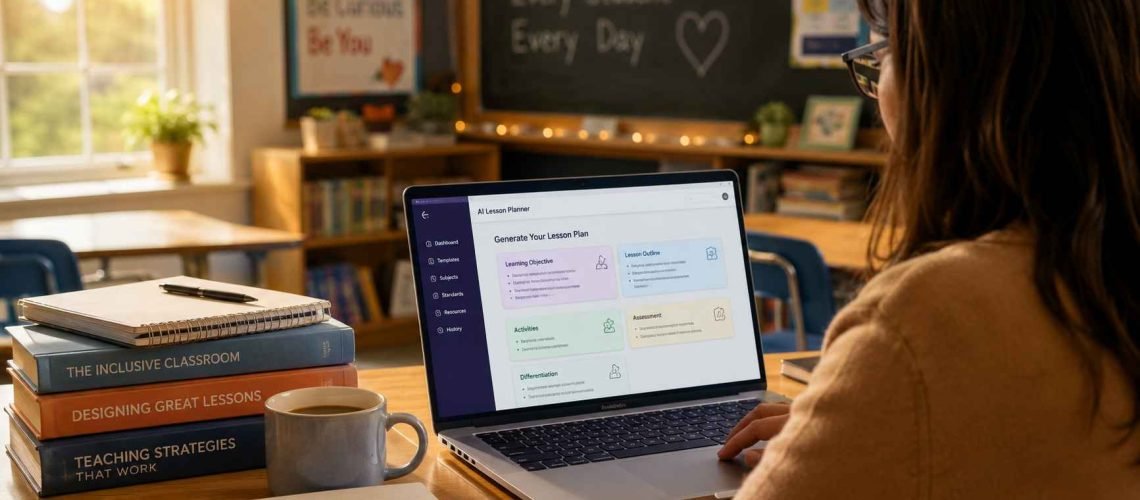
If you’ve searched for free AI tools for teachers, you’re probably trying to solve one problem: there isn’t enough time in the day. Grading, planning, differentiating, and answering parent emails all compete for the same few hours after the bell rings.
The good news is that most of the AI platforms built for education now offer a free tier that goes beyond a limited trial. You don’t need district approval or a credit card to start using them today.
This guide walks through 15 free AI tools that real classroom teachers are using in 2026, organized by the job each one actually solves — planning, grading, worksheets, engagement, and communication.
How I Evaluated These Tools
Not every “free” AI tool is genuinely usable at no cost. Some cap you at five generations a month and call that a free plan. For this list, a tool only qualifies as free if it covers a real classroom workflow without forcing an upgrade in the first week.
Each tool below was checked against three criteria:
- Free tier depth — does it solve a full task, not just a preview?
- Classroom fit — is it built for teaching, or a general tool repurposed for it?
- Privacy posture — does it publish FERPA, COPPA, or SOC 2 compliance information?
Free AI Tools for Lesson Planning
1. MagicSchool AI
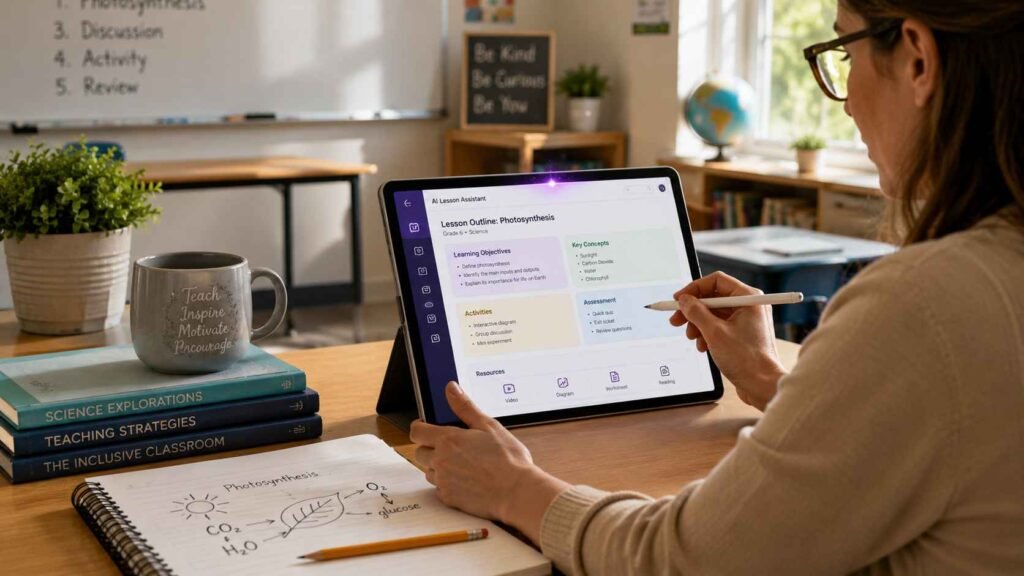
MagicSchool is one of the most complete free platforms built specifically for teachers, with a large library of education-specific tools covering lesson plans, rubrics, differentiation, and parent emails. The free account requires only an email sign-up and no payment card, and it includes standards-aligned lesson generation out of the box.
Teachers who want one dashboard instead of five separate apps tend to start here.
Best for: Teachers who want a single hub for planning, grading prep, and communication tasks.
2. Khanmigo
Khanmigo, Khan Academy’s AI teaching assistant, became fully free for teachers through a partnership with Microsoft. It includes planning, differentiation, and support tools organized into clear categories, plus a Socratic-style tutor mode for students that guides rather than hands over answers.
Because Khan Academy is a nonprofit, the free access isn’t tied to a limited trial window the way many venture-backed tools are.
Best for: Teachers who also want a safe, teacher-monitored AI tutor for students.
3. Google Gemini for Education
If your school already runs on Google Workspace, Gemini is likely built into tools you use daily. Google expanded Gemini access across Education tiers in early 2026, so even free Workspace for Education accounts get AI help drafting emails and summarizing documents in Gmail.
The tradeoff is that Gemini doesn’t know your pacing guide or your students the way a purpose-built lesson planner does — it’s a strong assistant, not a curriculum tool.
Best for: Teachers already inside Google Workspace who want zero-friction AI access.
4. ChatGPT for Teachers
OpenAI launched a dedicated free tier for verified U.S. K-12 educators, giving teachers access through mid-2027 without a subscription. It supports custom GPTs for recurring tasks like vocabulary quizzes or newsletter formatting, and shared projects for collaborative planning across a department.
Because it’s a general-purpose model, it works best when you bring a clear prompt and review the output rather than expecting curriculum-perfect results.
Best for: Teachers who want flexible, open-ended help beyond fixed templates.
Free AI Tools for Grading and Feedback

5. Brisk Teaching
Brisk is a browser extension that adds AI tools directly inside Google Docs, Slides, Forms, and Classroom — no new tab or login required. Its standout feature replays how a student actually wrote a piece, which helps you understand the writing process instead of just the finished draft.
Brisk has published FERPA and COPPA compliance details along with a strong third-party privacy rating, which matters if your district requires documentation before approval.
Best for: Teachers who want feedback and grading support without leaving Google Docs.
6. CoGrader
CoGrader focuses specifically on grading short responses, paragraphs, and writing samples, generating feedback that stays consistent across a full stack of student work. It’s designed to take the repetitive first pass off your plate so you can spend your remaining time on the comments that need a human eye.
Best for: Teachers grading large volumes of short-form writing.
7. Gradescope
Gradescope supports AI-assisted grading for both handwritten and typed assignments, with tools that group similar answers so you can grade consistently across an entire class at once. It’s widely used at the secondary and higher-ed level for exams and problem sets.
Best for: Math and science teachers grading structured, multi-part assignments.
Free AI Tools for Worksheets and Differentiation

8. Diffit
Diffit takes an article, PDF, YouTube video, or topic and rewrites it at different reading levels, complete with vocabulary support and comprehension questions. Differentiating a single text for a mixed-ability classroom used to take an entire evening; Diffit collapses that into a single prep period.
Best for: Teachers with wide reading-level ranges in one classroom.
9. Eduaide.ai
Eduaide generates structured teaching materials — from lesson resources to activities — shaped around real classroom workflows rather than generic content generation. It pairs well with a planning tool like MagicSchool for teachers who want more granular control over materials.
Best for: Teachers who want detailed, editable teaching resources rather than a full lesson-plan wizard.
10. Conker
Conker specializes in AI-generated quizzes with more than ten question formats, making it useful for both quick formative checks and longer summative assessments. Teachers can generate a full quiz from a topic or an uploaded document in a few minutes.
Best for: Teachers who need fast, varied quiz formats.
Free AI Tools for Classroom Engagement

11. Curipod
Curipod lets you build live, interactive lessons with AI-generated polls, discussion prompts, and drawing activities that students respond to in real time. It’s built for the moment in a lesson where you need instant feedback on whether the room understands what you just taught.
Best for: Teachers who want AI-assisted, real-time engagement instead of static slides.
12. SchoolAI
SchoolAI provides student-facing AI tutors with real-time teacher monitoring, so you can see exactly what each student is asking and how the AI is responding. This kind of visibility matters for schools cautious about handing AI directly to students.
Best for: Teachers introducing AI to students under close supervision.
13. Wayground (formerly Quizizz)
Wayground’s AI features let you generate a full quiz or game-based activity from a topic or document in seconds, turning review sessions into something students engage with rather than dread. Teachers get analytics on where the class is struggling.
Best for: Teachers who want gamified review built on AI-generated content.
Free AI Tools for Admin and Communication

14. NotebookLM
NotebookLM lets you upload your own PDFs, notes, or slides and turns them into study guides, summaries, and even audio overviews grounded only in your source material. Because it sticks to what you upload, it reduces the risk of AI inventing facts that aren’t in your curriculum.
Best for: Teachers building materials from existing documents rather than starting blank.
15. Canva for Education
Canva’s free education plan includes AI-powered design tools for slides, worksheets, and classroom visuals, and it integrates directly with Google Classroom for easy sharing. It’s less about text generation and more about turning your content into something visually polished fast.
Best for: Teachers who want professional-looking materials without design skills.
How to Choose the Right Free AI Tool for Your Classroom
You don’t need all 15 tools. Most teachers who stick with AI long-term settle on two or three, each matched to a specific part of their workload.
A simple way to choose:
- Planning takes too long → start with MagicSchool AI or Khanmigo.
- Grading eats your evenings → try Brisk Teaching or CoGrader.
- Differentiation is the bottleneck → Diffit solves this almost by itself.
- You already live in Google Docs → Gemini or Brisk will feel the most natural.
Pick one tool, use it for two weeks on a single task, and only add a second tool once the first one is a habit. Teachers who try five tools at once tend to end up using none of them consistently.
Data Privacy: What to Check Before You Sign Up

Free doesn’t mean unregulated, but it also doesn’t guarantee compliance. Before using any AI tool with student names, work, or data, check for:
- FERPA and COPPA compliance statements published on the vendor’s site
- SOC 2 certification, which indicates independent security auditing
- A clear data-use policy stating student data isn’t used to train the underlying AI model
- District or IT approval, since many schools maintain an approved-tools list
When in doubt, use a tool with your own planning materials first and confirm approval before uploading anything tied to a specific student.
People Also Ask

Is there a free AI tool for teachers? Yes. Several platforms built specifically for education — including MagicSchool AI, Khanmigo, and ChatGPT for Teachers — offer free tiers that cover real classroom tasks like lesson planning, grading support, and worksheet creation, not just limited trials.
What AI tool do most teachers use? MagicSchool AI is one of the most widely adopted platforms among K-12 teachers because it centralizes lesson planning, rubrics, differentiation, and communication tools in one free dashboard.
Can teachers use ChatGPT for free? Yes. Verified U.S. K-12 educators can access a dedicated free tier of ChatGPT for Teachers, which includes tools for building custom GPTs and collaborating on shared lesson materials.
Are AI grading tools free? Several grading-focused tools, including Brisk Teaching and CoGrader, offer free tiers that support feedback on student writing, though full-class exam grading tools like Gradescope may have usage limits on the free plan.
FAQ
Q: Do free AI tools for teachers require a credit card to sign up? A: No. The tools featured in this guide — including MagicSchool AI, Khanmigo, and Diffit — allow sign-up with just an email address and don’t require payment information for their free tier.
Q: Are free AI tools for teachers safe to use with student data? A: Safety depends on the specific tool. Look for published FERPA, COPPA, and SOC 2 compliance before entering any student names or identifiable work, and check your district’s approved-tools list first.
Q: Can free AI tools replace lesson planning entirely? A: No. AI tools generate a strong first draft, but a teacher’s judgment about pacing, classroom dynamics, and student needs still shapes the final lesson. Treat AI output as a starting point, not a finished product.
Q: Which free AI tool is best for a teacher just getting started? A: MagicSchool AI is a common starting point because it covers multiple tasks — planning, rubrics, and communication — in one free account, reducing the need to learn several tools at once.
Q: Do free AI tools work for special education and differentiation? A: Yes. Diffit is specifically built for adjusting reading levels and content complexity, making it useful for differentiated instruction and mixed-ability classrooms.
Q: How much time do these tools actually save? A: Teachers who use AI tools consistently for planning, grading, and communication report saving several hours per week, according to educator survey data from the 2025–26 school year, though actual time savings vary by subject and workload.
Key Takeaways
- Free AI tools for teachers now cover full workflows, not just limited previews — planning, grading, worksheets, and communication all have usable free options.
- MagicSchool AI, Khanmigo, and ChatGPT for Teachers are strong starting points because they’re purpose-built for education and require no payment to begin.
- Diffit remains the fastest way to differentiate a single text across multiple reading levels.
- Always confirm FERPA/COPPA/SOC 2 compliance before using any tool with identifiable student data.
- Start with one tool tied to your biggest time drain, and add a second only once it becomes routine.
Conclusion
You don’t need a district budget or a new subscription to start saving hours every week. The free AI tools for teachers covered here — from MagicSchool AI’s all-in-one dashboard to Diffit’s instant differentiation — are built to solve the exact tasks eating into your planning periods and evenings right now.
Pick the one tool from this list that matches your biggest time drain, try it for one week on a single task, and see how much of that time you get back.
Which tool are you starting with? Bookmark this guide and come back as you add tools to your routine — and if you’ve tried one of these, share what worked in the comments.
External Authoritative References
Common Sense Education — AI tool privacy ratings
ISTE (International Society for Technology in Education) — AI in education standards
U.S. Department of Education — guidance on AI use in schools
