You don’t run a school—but you absolutely run learning systems. Onboarding, internal training, product education, customer success playbooks—all of these depend on structured lesson plans. Most teams treat them as side work. That mindset slows execution.
When you understand how to use ChatGPT to make lesson plans, you compress hours of planning into minutes. You also standardize quality across teams. Instead of relying on one “good trainer,” you create a repeatable system.
Here’s the reality: founders at Series A don’t struggle with ideas. They struggle with bandwidth. Writing structured, outcome-driven lesson plans requires time, domain clarity, and iteration. ChatGPT eliminates the first two constraints and accelerates the third.
Let’s break it down from a business lens:
Faster onboarding reduces time-to-productivity
Better internal training improves execution quality
Structured customer education increases retention
Scalable lesson creation reduces dependency on individuals
If you ignore how to use ChatGPT to make lesson plans, you force your team to reinvent structure every time. That cost compounds.
The exact workflow: how to use ChatGPT to make lesson plans that scale
You don’t need prompts—you need a system. Most people fail because they ask vague questions. You need structured inputs and iterative refinement.
Start with a simple framework:
Define the outcome
Define the audience
Define the constraints
Generate the first draft
Refine for clarity and depth
Here’s a real example of how to use ChatGPT to make lesson plans for onboarding a new sales hire:
Step 1: Input a structured prompt “Create a 5-day lesson plan for onboarding a SaaS sales executive. Include daily objectives, key concepts, exercises, and measurable outcomes. Audience: beginner-level sales hire. Goal: close first deal within 30 days.”
This prompt works because it removes ambiguity. When you learn how to use ChatGPT to make lesson plans, clarity in inputs determines output quality.
Step 2: Force structure Ask ChatGPT to format like this:
Day-wise breakdown
Learning objectives
Activities
Metrics
You’re not asking for content—you’re asking for a system.
Step 3: Iterate for depth Take Day 1 and refine: “Expand Day 1 into a 60-minute detailed session with scripts, roleplay scenarios, and evaluation criteria.”
This step separates average users from high-leverage operators. Knowing how to use ChatGPT to make lesson plans means you never accept the first output.
Step 4: Add real-world constraints “Adjust this plan assuming the trainee only has 2 hours per day and no prior SaaS experience.”
Now the lesson becomes usable, not theoretical.
This workflow turns ChatGPT into a planning engine—not a content generator.
Real ROI: how to use ChatGPT to make lesson plans inside your company
Let’s move beyond theory. Here’s how founders actually apply how to use ChatGPT to make lesson plans across functions.
1. Employee onboarding
Instead of generic docs, create structured learning paths.
Example:
Week 1: Product understanding
Week 2: Market and competitors
Week 3: Role-specific execution
You use ChatGPT to generate each week’s lesson plan, including exercises and checkpoints. Result: new hires ramp faster.
2. Customer education
Most startups lose users because they don’t educate them.
Use how to use ChatGPT to make lesson plans to build:
Product tutorials
Feature adoption guides
Advanced use-case training
Ask: “Create a 3-module lesson plan to help users master [feature]. Include examples, exercises, and success metrics.”
Now your “help section” becomes a structured learning journey.
3. Internal skill development
You don’t need expensive trainers.
Want your marketing team to improve ad performance? Use how to use ChatGPT to make lesson plans like this: “Create a 7-day advanced Meta Ads training plan for intermediate marketers. Focus on scaling campaigns and reducing CPA.”
You instantly get a curriculum your team can execute.
4. Founder-led knowledge transfer
You hold critical knowledge—but you don’t have time to teach everyone.
Use ChatGPT as a translator: “Convert my notes on fundraising strategy into a 5-session lesson plan for startup founders.”
Now your thinking scales without your presence.
The ROI doesn’t come from content—it comes from consistency and speed. That’s why understanding how to use ChatGPT to make lesson plans gives you leverage.
Advanced tactics: how to use ChatGPT to make lesson plans that outperform humans
Most people stop at “generate a plan.” That’s baseline. You want compounding advantage.
1. Layer expertise into prompts
Don’t ask generic questions. Inject context.
Instead of: “Create a lesson plan on SEO”
Say: “Create a 5-day SEO lesson plan for early-stage founders focusing on quick wins, technical audits, and content ROI. Avoid beginner definitions.”
Now ChatGPT aligns with your level.
2. Use constraint-driven planning
Constraints improve output.
Examples:
“Limit each session to 30 minutes”
“Focus only on actionable tasks”
“Include measurable KPIs”
When you refine how to use ChatGPT to make lesson plans, constraints act as quality filters.
3. Build modular lesson blocks
Instead of one large plan, generate reusable components:
Icebreakers
Exercises
Assessments
Case studies
Then assemble them into custom lesson plans based on need. This turns ChatGPT into a content library generator.
4. Simulate real-world scenarios
Ask for practical environments: “Include real startup scenarios where users must solve problems using the lesson concepts.”
This removes fluff and increases retention.
5. Add evaluation systems
Most lesson plans fail because they lack measurement.
Always include:
KPIs
Assignments
Feedback loops
Example prompt: “Add performance metrics and evaluation criteria to each lesson.”
Now your lesson plans drive outcomes, not just learning.
6. Iterate like a product
Treat lesson plans like product features:
Version 1: Basic structure
Version 2: Add depth
Version 3: Add real examples
Version 4: Optimize for time
When you truly master how to use ChatGPT to make lesson plans, you stop thinking in documents—you think in iterations.
Founders care about leverage. Teachers need the same. ChatGPT prompts for teachers act like reusable micro-scripts that compress hours of cognitive work into minutes. You stop writing from scratch and start orchestrating outcomes. When a teacher uses ChatGPT with structured prompts, three things happen immediately. First, output quality stabilizes because prompts enforce constraints (rubrics, tone, reading level). Second, iteration speed jumps because you tweak inputs, not entire documents. Third, consistency improves across classes and sections. A simple example shows the leverage. Instead of drafting ten versions of feedback comments, a teacher builds one prompt: “Generate 10 personalized report comments for Grade 6 math using rubric criteria A–D, include one actionable improvement per student, keep tone constructive, limit to 60–80 words.” That single prompt produces batch output with consistent quality. You edit for nuance, not structure. Multiply that across lesson plans, quizzes, and parent emails, and you get a weekly time recovery of several hours. For Series A founders, the parallel feels obvious: prompts function like internal tooling. You define the interface once and reuse it. That’s why ChatGPT prompts for teachers deliver ROI quickly—low setup cost, immediate time savings, and compounding gains. Build a prompt stack that ships outcomes, not drafts Most teachers fail because they treat prompts like casual questions. High-performing users design ChatGPT prompts for teachers as modular assets. Each prompt has inputs, constraints, and a defined output format. Start with four core modules: 1) Lesson generator 2) Assessment builder 3) Differentiation engine 4) Feedback generator Here’s a high-performance prompt for assessments: “Create a 15-question mixed-format test on photosynthesis for Grade 7. Include 5 MCQs, 5 short answers, 5 application questions. Map each question to Bloom’s level. Provide an answer key and a 10-mark rubric.” Notice the specificity. You remove ambiguity and force structured output. That’s the difference between generic AI use and effective ChatGPT prompts for teachers. Stack these prompts in a simple doc or your CRM-like workflow. Tag by subject and grade. Over time, you build a library that behaves like an internal API for teaching tasks. Real workflows that cut hours every week Let’s move from theory to execution. These workflows show how ChatGPT prompts for teachers compress multi-step tasks. Workflow 1: 30-minute lesson build Result: A complete lesson package in under 30 minutes. Workflow 2: Batch grading comments in 20 minutes Result: Personalized comments without repetitive writing fatigue. Workflow 3: Weekly quiz pipeline Result: Consistent assessment quality with minimal manual drafting. Workflow 4: Parent communication at scale Result: Clear, consistent communication without time drain. Each workflow relies on precise ChatGPT prompts for teachers. You define once, reuse forever. That’s how you turn AI into a production system, not a novelty. Avoid failure modes and enforce quality control Bad prompts waste time. Strong systems include guardrails. If you want ChatGPT prompts for teachers to perform at a high level, you need quality controls. Define constraints explicitlyAlways include grade level, tone, word limits, and output format. Vague prompts create inconsistent outputs. Force structureAsk for sections, bullet points, or tables. Structured outputs reduce editing time and improve readability. Add evaluation stepsAfter generating content, run a second prompt: “Review this lesson plan against Grade 7 standards. Identify gaps and suggest improvements.” This creates a feedback loop inside the system. Use iteration deliberatelyDon’t accept the first output blindly. Adjust inputs and constraints. Treat prompts like code—you refactor them. Keep a prompt libraryDocument your best-performing ChatGPT prompts for teachers. Version them. Improve them over time. This turns individual wins into institutional knowledge. Validate with real classroomsTest outputs in live settings. Measure engagement, comprehension, and time saved. Keep what works. Kill what doesn’t. Founders understand this instinctively: systems beat effort. Teachers who apply the same mindset extract maximum value from ChatGPT prompts for teachers. Written By SagarAiHub.com
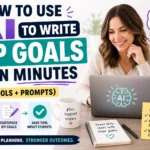
How to Use AI to Write IEP Goals in Minutes (Free Tools + Prompts) How to Use AI to Write IEP Goals in Minutes (Free Tools + Prompts) | SagarAIHub IEP GoalsAI for TeachersSpecial EducationFree ToolsChatGPT Prompts ⚡ Quick Summary: In this guide you will learn exactly how to use AI to write IEP goals using free tools like MagicSchool AI and ChatGPT. Includes copy-paste prompts for every area of need — reading, math, social skills, behavior, speech, and more. If you are a special education teacher, you already know the pain of IEP season. One student. Multiple goals. Specific language. Measurable criteria. Legal compliance. And you still have 15 more students on your caseload waiting. Learning how to use AI to write IEP goals is one of the best time-saving decisions any SPED teacher can make in 2026. AI can write a strong first draft of your IEP goals in under 60 seconds — completely free. In this guide I will show you exactly how to use AI to write IEP goals, which free tools work best, and the exact prompts you can copy and paste right now. What Are IEP Goals and Why Are They So Hard to Write? An IEP (Individualized Education Program) goal is a specific, measurable statement describing what a student with a disability is expected to achieve within one year. Every IEP goal must include five key components: Condition: Under what circumstances will the student perform? Student name: Who will demonstrate the skill? Behavior: What specific, observable action will they perform? Criterion: How well and how often must they perform it? Timeframe: By when will this be achieved? A well-written IEP goal looks like this: ✅ Example IEP Goal “Given a graphic organizer and verbal prompting, [Student Name] will write a 5-sentence paragraph with a topic sentence, 3 supporting details, and a closing sentence with 80% accuracy across 4 out of 5 trials by the end of the IEP period.” Writing that from scratch — for every student, every goal, every year — takes enormous time and mental energy. That is exactly why so many special education teachers are now learning how to use AI to write IEP goals and saving hours every single week. Can AI Really Write IEP Goals? Yes — with the right prompts. AI cannot replace your professional judgment. It does not know your student, their evaluation data, or your district standards. You do. But once you know how to use AI to write IEP goals effectively, AI handles the heavy lifting of drafting the goal language. You spend your time refining, not starting from zero. Think of it this way: AI writes the first draft in 30 seconds You spend 5 minutes making it perfect Total time: 5–6 minutes instead of 30–45 Multiply that across a full caseload and you save hours every IEP season. Best Free AI Tools to Write IEP Goals 🪄 MagicSchool AI FREE magicschool.ai · Best overall tool MagicSchool AI has a dedicated IEP Goal Writer built specifically for special education teachers. It is the best free tool for learning how to use AI to write IEP goals right now. How to use it: Go to magicschool.ai and create a free account Search “IEP Goal Writer” in the tool library Enter student’s area of need, grade level, and current performance Click Generate and review the output Unlike generic AI tools, MagicSchool understands education language. Goals it generates already use SMART format and appropriate special education terminology. Time to generate: under 30 seconds. 🤖 ChatGPT Free Version FREE chatgpt.com · Most flexible option ChatGPT is the most flexible way to use AI to write IEP goals. With the right prompt it generates excellent goals for any area of need, any grade level, and any disability category. The exact prompts are below. 📚 Eduaide.AI FREE PLAN eduaide.ai · Great for SPED-specific tasks Eduaide has a dedicated IEP goal generator as part of its special education toolkit. Less well known than MagicSchool but equally powerful when learning how to use AI to write IEP goals for specific disability categories. 🔍 Google Gemini FREE gemini.google.com · Best for data-based goals Google Gemini works well for IEP goals when given detailed prompts. Best used when you want to use AI to write IEP goals based on uploaded evaluation reports or assessment data. How to Use AI to Write IEP Goals: The Master Prompt This is the most important section of this guide. Copy and paste this exact prompt into ChatGPT or any AI tool to get your first set of IEP goals in under 60 seconds. 📋 Master Prompt Template — Copy & Paste”You are an experienced special education teacher with expertise in writing legally compliant, SMART IEP goals. Write 3 IEP goals for a student with the following profile: – Grade level: [ENTER GRADE] – Disability category: [ENTER DISABILITY] e.g. Learning Disability, Autism, ADHD, Speech/Language Impairment – Area of need: [ENTER AREA] e.g. Reading comprehension, Math calculation, Written expression, Social skills, Communication – Current performance level: [DESCRIBE WHAT STUDENT CAN DO NOW] – Setting: [ENTER SETTING] e.g. Resource room, Inclusive classroom Each goal must follow SMART format and include: – Condition – Student behavior – Measurable criterion (percentage or frequency) – Timeframe (by end of IEP period) Write in formal IEP language suitable for a legal document.” Example Filled-In Prompt: ✏️ Filled In Example”You are an experienced special education teacher with expertise in writing legally compliant SMART IEP goals. Write 3 IEP goals for a student with the following profile: – Grade level: Grade 4 – Disability category: Learning Disability (Dyslexia) – Area of need: Reading comprehension – Current performance: Student reads at Grade 2 level, can decode CVC words but struggles to identify main idea and supporting details in grade-level text – Setting: Resource room 30 minutes daily plus inclusive classroom” Example AI Output: Here is what AI generates when you correctly use AI to write IEP goals with this prompt: 📌 Goal 1 — Reading Comprehension
You already optimize funnels, automate pipelines, and instrument every metric. Yet most schools still burn hours writing repetitive, low-signal feedback. If you advise education products, invest in edtech, or run internal training programs, you need to understand how to use AI to write report card comments because it converts unstructured teacher effort into scalable, measurable output. Manual comments create three problems: inconsistency, time cost, and weak personalization. AI fixes all three. You standardize tone with prompt templates, compress writing time from hours to minutes, and still tailor comments to each student with structured inputs. That means higher quality feedback at lower cost. Treat comments as data. Each comment becomes a function of inputs: grades, competencies, behavior signals, and goals. When you implement how to use AI to write report card comments, you turn that function into a repeatable workflow. Founders should recognize the leverage: once you define the schema, you can plug it into any model and generate consistent outputs at scale. The ROI shows up immediately. Teachers reclaim hours. Admin teams reduce revisions. Parents receive clearer insights. If you build or fund tools in this space, you gain a strong wedge: feedback generation ties directly to core school workflows, so adoption sticks. The fastest workflow for how to use AI to write report card comments Skip theory. Use a simple pipeline that any team can deploy in a day. Step 1: Define a data schema.Create a compact input structure per student: Step 2: Build a prompt template.Your template enforces tone, length, and structure. Example: “Write a 90–120 word report card comment for a Grade 6 student. Maintain a supportive, specific tone. Include: (1) two strengths with evidence, (2) one area for improvement with actionable advice, (3) one measurable next-step goal. Avoid generic phrases. Inputs: {scores}, {skills}, {behavior}, {evidence}, {targets}.” Step 3: Map inputs to prompts.Programmatically inject each student’s data into the template. Use a spreadsheet, a lightweight script, or your product backend. Step 4: Batch generation.Run the model across all students. Generate comments in minutes. Log outputs for audit. Step 5: Human review layer.Require a quick teacher pass. Flag edge cases: sensitive behavior notes, anomalies, or missing evidence. Edits should take seconds, not minutes. Step 6: Style guardrails.Add rules: no clichés, no ambiguous praise, always include evidence. This keeps outputs sharp. This workflow operationalizes how to use AI to write report card comments with minimal engineering. You can ship it inside a week and see immediate time savings. Real examples of how to use AI to write report card comments Founders want proof. Here are concrete input-output pairs that demonstrate how to use AI to write report card comments with specificity. Example 1: High performer with minor gapsInputs:Scores: Math 92, Science 88Skills: strong problem-solving, improving data interpretationBehavior: consistent participationEvidence: led group lab; minor errors in graph labelingTargets: improve precision in data presentation Output:“Arjun demonstrates strong problem-solving in mathematics and consistently contributes during lessons. In science, he led his group effectively during the lab and explained methods clearly. He can improve precision when presenting data, especially in graph labeling and units. Over the next term, Arjun should check all graphs against a simple checklist for titles, scales, and units to eliminate avoidable errors.” Why it works: It cites evidence, names a gap, and sets a measurable action. Example 2: Average performer needing structureInputs:Scores: English 68Skills: reading comprehension moderate, writing organization weakBehavior: inconsistent homeworkEvidence: strong oral responses; incomplete essaysTargets: complete drafts using outline Output:“Meera shows solid understanding during class discussions and offers thoughtful oral responses. Her written work needs stronger organization, and several assignments remained incomplete this term. Meera should use a simple outline—introduction, two body points, conclusion—before drafting each essay and submit all homework on schedule. Consistent use of this structure will improve clarity and completion.” Why it works: It links behavior to output and prescribes a concrete routine. Example 3: Behavioral focus with academic baselineInputs:Scores: Social Studies 74Skills: content recall adequateBehavior: frequent disruptionsEvidence: interruptions during group tasksTargets: self-management strategies Output:“Rohit shows adequate understanding of key social studies concepts and can recall important facts during assessments. He often interrupts group activities, which limits his own progress and affects peers. Rohit should use a simple self-management plan—raise a hand before speaking and track interruptions per lesson—to build more focused participation. Improved consistency here will support stronger academic outcomes.” Why it works: It addresses behavior directly, avoids judgment, and defines a measurable habit. Each example proves that how to use AI to write report card comments produces specific, actionable feedback—not generic praise. Scaling and governance for how to use AI to write report card comments At Series A, you need repeatability, compliance, and cost control. Implement these controls when you deploy how to use AI to write report card comments. Standardize tone with versioned prompts.Keep prompts in version control. When you update tone or structure, tag releases. This ensures consistency across terms and campuses. Add validation rules before generation.Reject incomplete inputs. If evidence fields stay empty, the system should block generation. Garbage in still yields garbage out. Use constrained outputs.Set word limits and required sections. Enforce “two strengths, one improvement, one goal.” Structured outputs reduce review time. Create a red-flag filter.Scan generated text for sensitive phrases. Route flagged comments to senior reviewers. You maintain trust and avoid escalation. Track metrics.Measure: These metrics quantify the ROI of how to use AI to write report card comments and guide prompt iterations. Control costs.Batch requests and cache repeated patterns. Many students share similar profiles; reuse partial generations when appropriate. Choose model tiers based on task complexity: cheaper models handle standard cases; premium models handle edge cases. Integrate with your stack.Plug the workflow into your SIS or LMS. Pull grades and skills automatically. Push final comments back into report templates. Eliminate manual copy-paste. Train users quickly.Give teachers a one-page guide: how to fill inputs, how to review outputs, what to edit. Adoption depends on simplicity, not features. When you execute these steps, how to use AI to write report card comments becomes a reliable subsystem,